
Demo · Portal
Orders portal for a sales network and business clients
This demo represents a portal where agents and customers can see price lists, place orders and track deliveries, connected to an existing business system.
Paths, roles and data are examples, but reflect common business needs.
Results snapshot
A quick view of work improvements and delivery approach.
Errors
High→Low
Cleaner path and better checks
Task time
12m→9m
Faster execution (sample)
Delivery
Module-ready
Secure connection and reusable interface patterns
Portal screens and technical demo
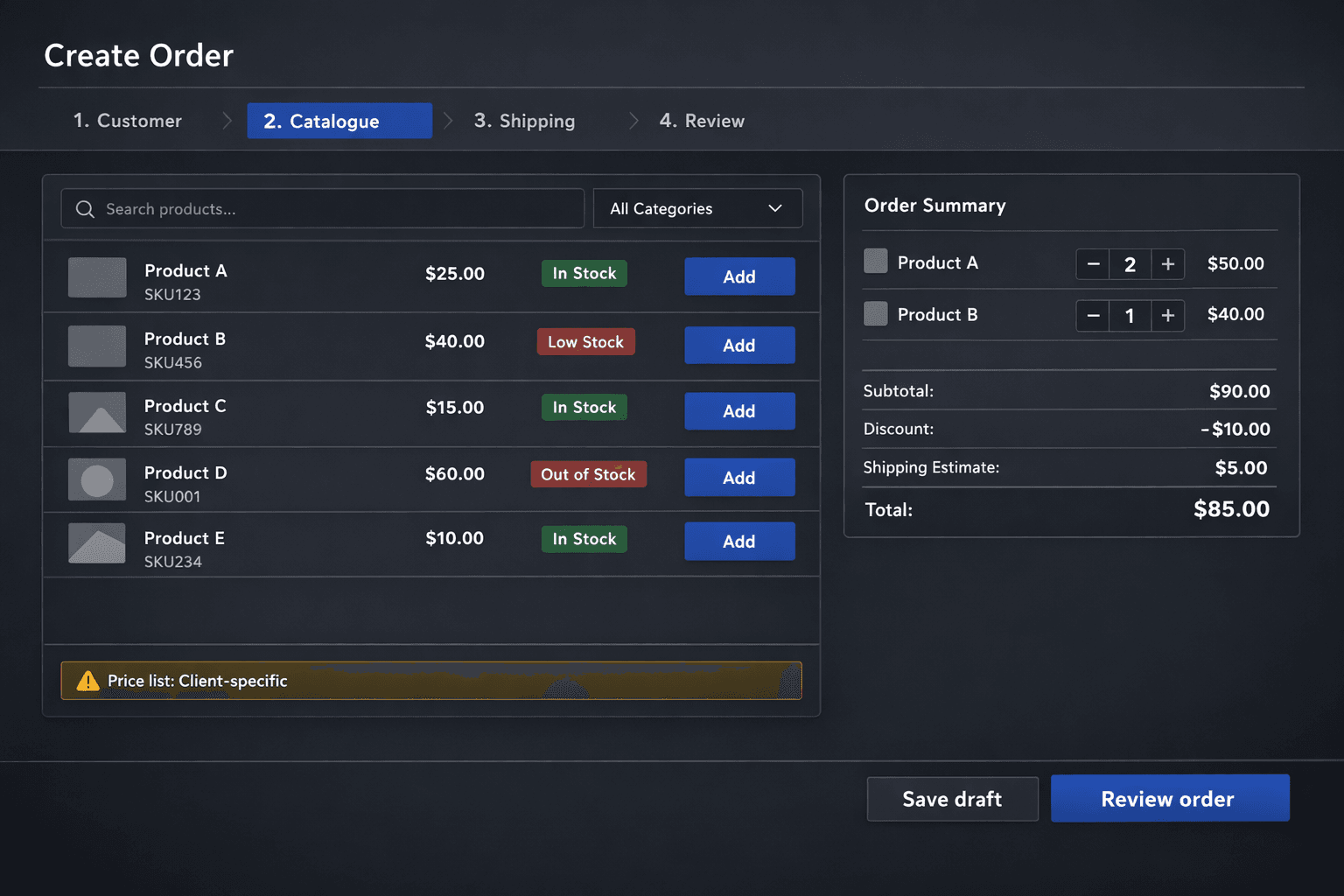
Order creation flow with catalogue selection, client pricing and draft handling.
Screens come from a demo environment and are adapted to each client’s process.
What changed and what didn’t
What we changed
- A work-focused interface module
- Access patterns based on user role
- Hooks ready for tracking and monitoring
What we didn’t change
- No need to rebuild your whole internal portal
- No breaking changes to existing systems
- The setup stays modular and ready to grow
Deliverables
Concrete outputs from the demo.
- Working app module with screens and steps
- Connection pattern and endpoint examples
- Monitoring-ready sample view
- Source code with review structure
- Handover package with next module ideas
Typical user journey
We show the basic path of an agent or customer entering the portal and completing an order.
- Login with user role
- Client selection and access to the right price list
- Quick order creation from the catalogue
- Order summary with status and history
What we highlight in the demo
The demo focuses on usability and connection with existing systems: how to reduce mistakes and wasted time compared to Excel, email and scattered messages.
- Interface designed for non-technical users
- Handling different price lists by client or channel
- Example connection with an existing business system
- Simple management dashboard example
How we adapt it to your process
Every business works differently. We use the demo to understand what should stay and what should become simpler.
- Map how orders work today
- Identify the first critical parts to improve
- Define a first working version with a few well-solved steps
- Evaluate whether you need support for more brands or clients
Do you have a process that deserves its own portal?
The demo helps us talk clearly about screens, steps and impact on your team.