

Demo · 5-day sprint
E-commerce category improvement on an existing platform
This demo shows how a single category can transform the user experience — proof that focused improvements drive measurable business results.
Sample scenario: content and data are example-only, but based on real-world cases.
UI snapshot
Realistic category interface (test environment)
A quick look at what the sprint result looks like before the metrics: desktop category, reusable product card, and mobile layout.
Category UI preview
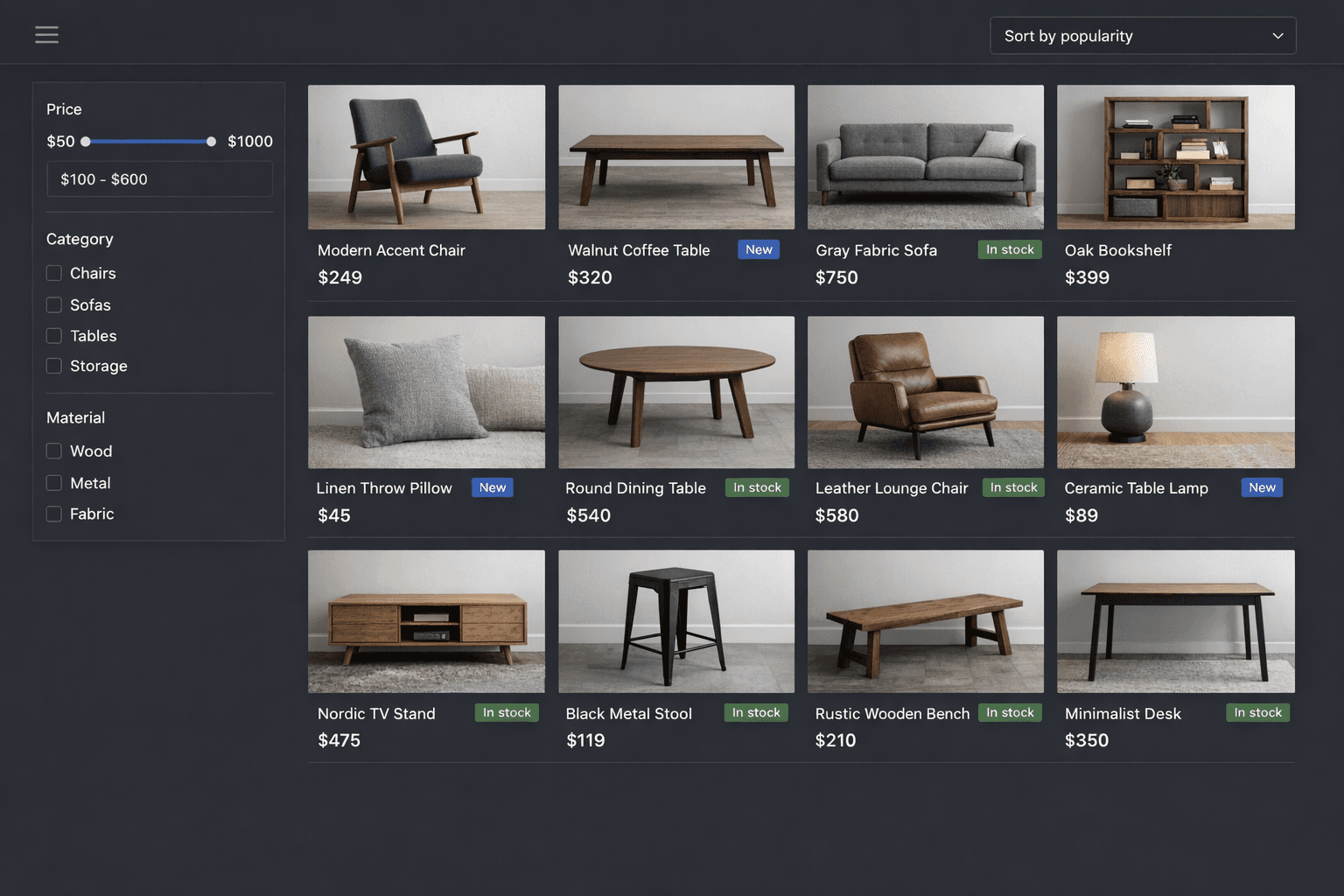
Desktop category view with filters, sorting and product grid. Designed to connect to real catalogue data.
Tip: use these screenshots to align marketing and technical teams before reviewing performance metrics.
Results snapshot
A quick before-and-after overview.
Page speed
4.2s→2.1s
Mobile, key template
Responsiveness
280ms→160ms
Speed of user interaction
Handover
5 days
Sprint scope, handover included
Output and approach (anonymized)
What you get after the sprint
Concrete assets you can keep, share internally and use to decide the next step.
Included assets
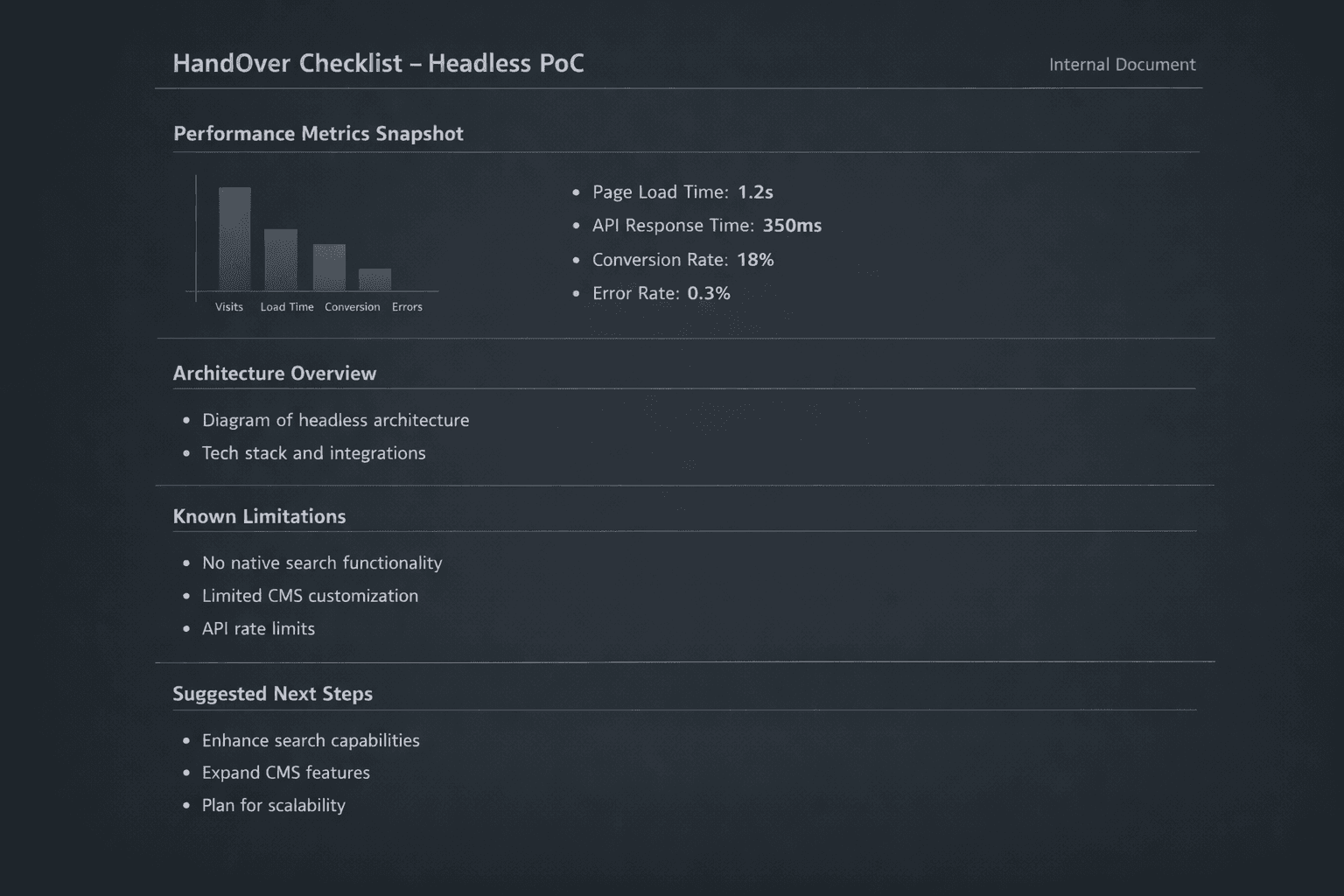
Documentation and guided video summary to transfer the sprint result to your team.
Tip: use these assets to align different teams before moving to launch.
What changed and what didn’t
What we changed
- A focused interface layer on a limited scope
- A connection approach that isolates older complexity
- Speed-focused rendering and asset improvements
What we didn’t change
- No full rebuild or risky platform move
- No disruption to existing systems
- No lock-in: code and deliverables stay yours
Deliverables
Concrete assets you can keep and extend after the demo.
- Sprint implementation
- Before-and-after performance snapshot
- Source code with review-ready structure
- Guided video
- Handover package with setup notes and next steps
What this demo covers
The goal is to show an important category or section improved on top of the existing platform, ready to be measured.
- Product listing with images, title, price and labels
- Filters and sorting designed for mobile
- Product detail page with key information
- Smoother navigation and better experience
What we highlight behind the scenes
In the demo we also show how this can sit on top of your current technology.
- Simple diagram of the connection with existing systems
- A connection layer that brings together different data sources
- How performance would be measured during the sprint
- Possible launch strategy, one section at a time
How it maps to your real sprint
We use the demo to define a real scope: which section makes sense to test and what success metrics to use.
- Choose the most promising category or section
- Define success metrics such as speed, results and drop-off rate
- Assess technical limits and minimum required connections
- Sketch a practical path from validation to production
Need real numbers before changing direction?
We start from one category or section and use the demo to align expectations, scope and next steps.